Wine QR Code Not Scanning? Common Problems Wineries Should Check
Wine QR code not scanning? Check common problems with size, contrast, printing, bottle placement, damaged labels, and broken links before reprinting.

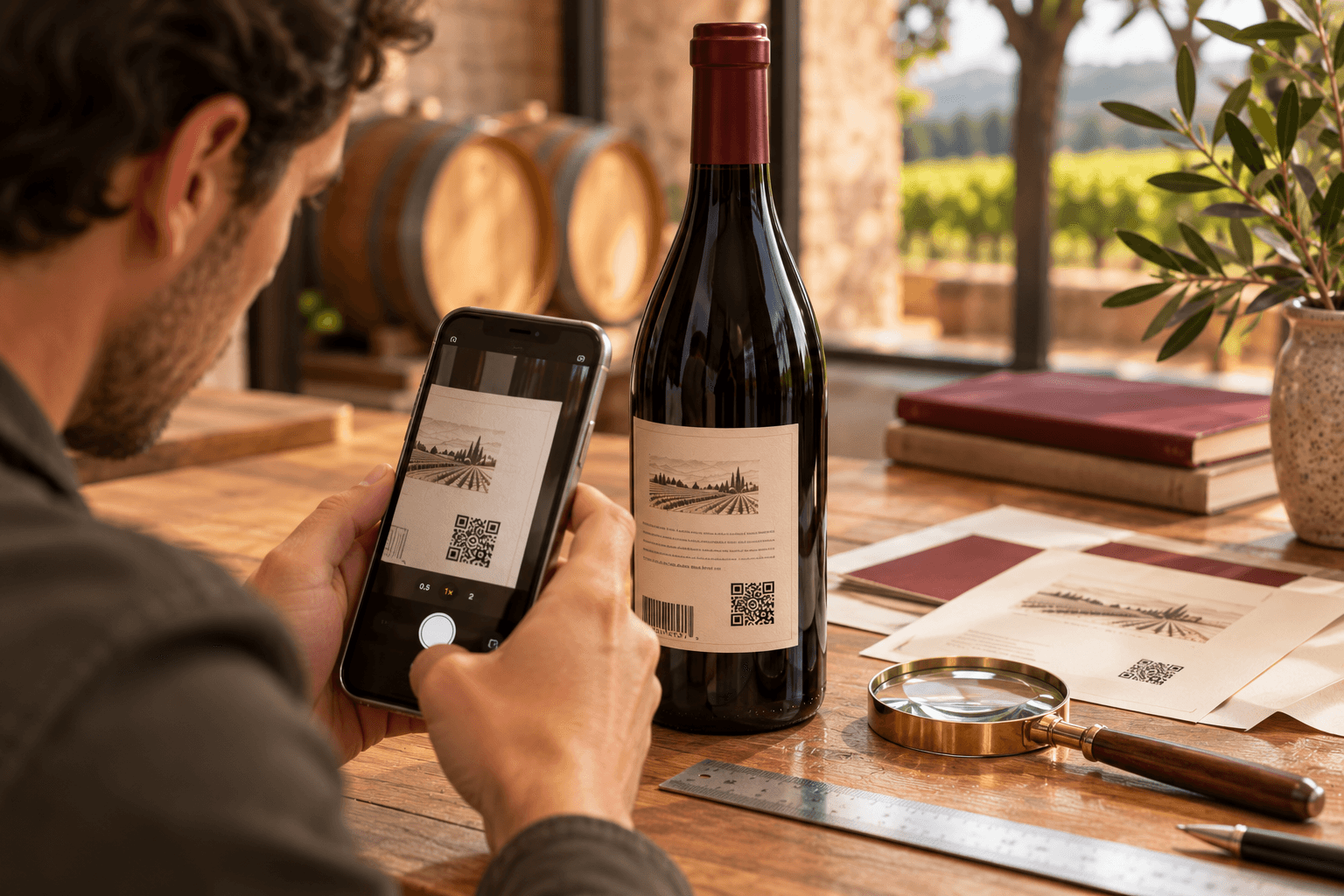
A QR code on a wine bottle should make information easier to access. But what happens when someone points their phone at the label and nothing happens?
Sometimes the problem is the printed code. Other times, the QR code scans correctly but opens the wrong page or leads to an unavailable website.
For wineries, identifying the difference matters.
A QR code that does not work properly can prevent customers from accessing wine information. If the code is being used to provide mandatory EU labeling information, the issue may also affect access to required product details.
Before replacing QR codes or reprinting labels, here are the most common problems to check and how to troubleshoot them.
First, identify what is going wrong
Not every QR code problem has the same cause.
Start by identifying which of these situations applies:
- The phone does not recognize the QR code: The problem may involve size, contrast, printing, placement, or camera conditions.
- The phone recognizes the code but the page does not open: The problem may involve the URL, internet connection, or website availability.
- The page opens but shows the wrong wine: The QR code may be linked to an incorrect destination or wine record.
- The page opens but displays outdated information: The digital label may need to be reviewed or corrected.
This first check helps narrow down the issue before making changes to the printed label or digital destination.
1. The QR code is too small
One of the most common reasons a printed QR code becomes difficult to scan is its size.
A QR code may look clear on a computer screen but become difficult for a smartphone camera to recognize when reduced to fit a small wine label.
The problem is especially noticeable when the code contains many small squares packed closely together.
There is no universal QR code size that guarantees successful scanning on every wine bottle.
As a practical starting point, wineries can test codes around 20 × 20 mm, or larger when label space allows.
The final dimensions should depend on the code's complexity, printing method, label material, and bottle shape.
What to check:
Print the QR code at its intended size and test it on the actual bottle.
If scanning is inconsistent, try a larger version before approving the final design.
Do not assume that a code is large enough simply because it looks readable to the human eye.
2. There is not enough contrast
QR codes rely on a clear visual difference between their dark and light areas.
Wine labels often use sophisticated colors, textured backgrounds, metallic finishes, and decorative graphics.
These elements can look attractive but may interfere with scanning.
For example, a burgundy QR code on a dark red background may be difficult for a camera to distinguish.
The same problem can occur with pale gold codes on cream paper or designs placed over detailed photographs.
What to check:
Start with a dark QR code on a solid, light background.
Black on white is generally a reliable choice.
If you want to use brand colors, test the exact combination on the finished label.
Avoid placing decorative patterns, gradients, or photographs directly behind the QR code.
A simple, high-contrast design is usually more dependable than a heavily customized one.
3. The QR code does not have enough clear space around it
A QR code needs an empty margin around its edges.
This area is called the quiet zone.
It helps scanning software distinguish the QR code from surrounding text, borders, and decorative elements.
For a standard QR code, the quiet zone should extend at least four times the width of one of its smallest squares on every side.
If the code is placed directly against a border, logo, or other design element, scanning may become less reliable.
What to check:
Review the QR code in the final label artwork.
Make sure there is sufficient clear space on all four sides.
Do not crop the code too closely or place decorative frames inside the quiet zone.
Remember to account for this space when calculating the overall area needed for the QR code.
4. The printing quality is affecting readability
A QR code can be perfectly generated but poorly reproduced during printing.
This is particularly important for wine labels with small QR codes or textured materials.
Potential printing problems include:
- Blurred edges
- Ink spreading between small squares
- Pixelated QR code images
- Missing or distorted details
- Uneven printing on textured paper
- Reflective coatings that interfere with camera recognition
These problems may not be obvious until the label is printed.
What to check:
Use a high-quality QR code file suitable for printing.
Avoid taking screenshots of QR codes or enlarging low-resolution images.
Where possible, use a vector format such as SVG, which can be resized without losing sharpness.
Winetraqr allows wineries to download QR codes for use in their label designs, including SVG and PNG formats.
Ask your printer to review the QR code at its final dimensions.
Most importantly, test a physical proof before approving the full print run.
5. The QR code is placed on a difficult part of the bottle
Wine bottles are curved, and that curvature can affect how a smartphone camera sees a QR code.
If a code wraps around a pronounced curve, its shape may appear distorted from certain angles.
This can be especially problematic when the code is small.
Other placement issues include:
- Codes positioned too close to label edges
- Labels that wrinkle when applied
- QR codes partially covered by stickers
- Codes placed where reflections are particularly strong
- Labels that become obscured by packaging
What to check:
Try scanning the code from different angles.
If the code works on a flat proof but not on the bottle, placement or curvature may be contributing to the problem.
For future print runs, consider moving the QR code to a flatter, more accessible section of the label.
The back label is often a practical location, provided the code remains easy to find and scan.
6. The label has become damaged
Sometimes a QR code works when the wine is bottled but becomes difficult to scan later.
Wine bottles may be exposed to moisture, condensation, friction, and handling during storage and distribution.
A scratched or damaged label can interfere with the QR code's pattern.
QR codes include error-correction capabilities, which can help them remain readable despite some damage.
However, error correction has limits.
A heavily damaged, obscured, or distorted code may become unreadable.
What to check:
Inspect the physical label for scratches, tears, moisture damage, or missing printed areas.
Try scanning an undamaged bottle from the same batch.
If the undamaged code works, the issue may be limited to the affected label.
For future production, review whether the selected paper, ink, and finishing materials are suitable for the conditions in which the bottles will be stored and handled.
7. The QR code scans, but the webpage does not open
This is a different problem from a code that cannot be recognized.
If the phone detects the QR code and displays a link, the printed pattern is probably readable.
The problem may be with the destination.
Possible causes include:
- An incorrect URL
- A webpage that has been deleted
- A domain that is no longer active
- A temporary website or hosting problem
- A redirect that no longer works
- A device without a working internet connection
What to check:
First, scan the code and inspect the URL.
Try opening the link in a browser.
Then test it using another phone or internet connection.
If the same URL fails across multiple devices and networks, the destination may be unavailable.
If the code uses a third-party QR code service, check whether the link depends on an active account or subscription.
Do not immediately assume the printed QR code needs to be replaced.
The problem may be entirely digital.
8. The QR code opens the wrong wine information
A QR code can scan successfully and still create a problem if it opens the wrong product information.
For example, a winery might accidentally place the QR code for its Chardonnay on a Pinot Noir label.
Another possibility is that information associated with an older vintage has been replaced with details from a newer release.
In both cases, the QR code may work technically while displaying information that does not correspond to the bottle.
This is especially important when QR codes are used to provide mandatory ingredient and nutrition information.
What to check:
Scan the code and verify:
- Wine name
- Vintage, where relevant
- Product identity
- Ingredient information
- Nutrition information
- Any other details needed to identify the correct wine
Compare the digital information with the bottle and the winery's approved product records.
With Winetraqr, wineries can create and manage digital labels for their wines and update the associated information.
However, updates should preserve accuracy for bottles already in circulation.
Do not overwrite an older wine's information with details from a different product or vintage simply to reuse a QR code.
9. The QR code works on one phone but not another
Sometimes a QR code scans immediately on one smartphone but requires several attempts on another.
Different devices have different cameras, focusing capabilities, and QR code scanning software.
Lighting conditions can also influence results.
For example, a code may scan easily under bright office lighting but become difficult to recognize in a dim restaurant or wine cellar.
Reflections from glossy labels can create additional problems.
What to check:
Test the QR code using several smartphones.
Try scanning under different lighting conditions and at different distances.
If only one device has difficulty, check whether its camera lens is clean, whether it is focusing properly, and whether its QR scanning function is enabled.
If several devices struggle, the printed code or its placement is more likely to need attention.
The goal is not to make a QR code work under one ideal testing condition.
It is to make scanning reasonably easy in the environments where customers will encounter the bottle.
What if the QR code is already printed on thousands of bottles?
Discovering a QR code problem after printing can be frustrating.
But the next step depends on what is wrong.
If the printed code cannot be scanned
A digital update cannot fix a QR code that a camera cannot recognize.
If the problem is caused by poor printing, inadequate contrast, or severe distortion, the physical label may need to be corrected.
Depending on the circumstances, a winery might need to consider replacement labels or another suitable corrective action.
Any correction should preserve the applicable labeling requirements.
If the code scans but the information is incorrect
A digital-label platform may allow the information behind the QR code to be corrected without changing the printed code.
Winetraqr supports updating wine information digitally, and those updates are reflected on the associated digital label.
This can help wineries correct information without automatically reprinting the QR code.
However, the corrected information must still accurately represent the wine associated with the printed label.
If the destination is unavailable
Investigate the URL and hosting service before changing the printed label.
If the original destination can be restored, the existing QR code may become usable again.
If the URL cannot be restored or redirected appropriately, a physical correction may be necessary.
For mandatory EU wine information, wineries should assess any accessibility problem promptly rather than assuming that a temporarily unavailable e-label is acceptable.
How to test wine QR codes before printing
The most effective troubleshooting starts before production.
A simple testing process can help identify problems while changes are still easy to make.
-
Generate the QR code. Make sure it is associated with the correct wine and digital destination.
-
Download a suitable file. Use a high-quality format appropriate for your label design and printing process.
-
Place it in the final artwork. Preserve its proportions, contrast, and quiet zone.
-
Print a physical proof. Use the intended dimensions and, where possible, the actual label material.
-
Apply the proof to the bottle. Test the code on the curved surface rather than only on flat paper.
-
Scan with different phones. Include devices with different camera capabilities.
-
Test under realistic lighting. Try conditions similar to retail shops, tasting rooms, restaurants, and cellars.
-
Check the destination. Confirm that the correct wine information opens.
-
Approve the final printed version. Repeat the test if the artwork, printing method, or label material changes.
Testing a finished bottle can reveal problems that are difficult to identify from a digital design file.
A quick troubleshooting checklist
If your wine QR code is not working, start here:
- Is the QR code large enough?
- Is there sufficient contrast between the code and its background?
- Is the quiet zone clear on all four sides?
- Are the individual squares printed sharply?
- Has the code been stretched, cropped, or distorted?
- Is bottle curvature affecting scanning?
- Is the label damaged or obscured?
- Does the code work on another smartphone?
- Does the phone recognize the code but fail to open the URL?
- Is the destination website available?
- Does the code open the correct wine?
- Is the displayed product information accurate?
Work through these questions before deciding whether the problem requires a new printed label or a digital correction.
Make QR code testing part of every wine release
A QR code may be a small element of a wine label, but its reliability matters.
Customers should be able to scan it without struggling, and the destination should provide the information they expect.
For wineries using electronic labels to provide mandatory EU wine information, keeping that information accessible and accurate is particularly important.
Most QR code problems fall into two categories: issues with the physical printed code or issues with the digital destination.
Knowing which category you are dealing with can help you identify the right solution.
Winetraqr helps wineries create and manage digital wine labels with QR codes, keeping wine information organized and allowing updates to the digital destination when needed.
Create your free Winetraqr account and prepare your digital wine labels before your next print run.
Unlock the story behind every bottle
- Unlimited wines and QR codes
- Automatic language translation
It's free to sign up. No credit card needed.