How to Create Digital Wine Labels in Minutes with Winetraqr
Learn how to create compliant digital wine labels in minutes with Winetraqr, including QR codes, ingredient disclosures, multilingual support, and EU wine labeling compliance.

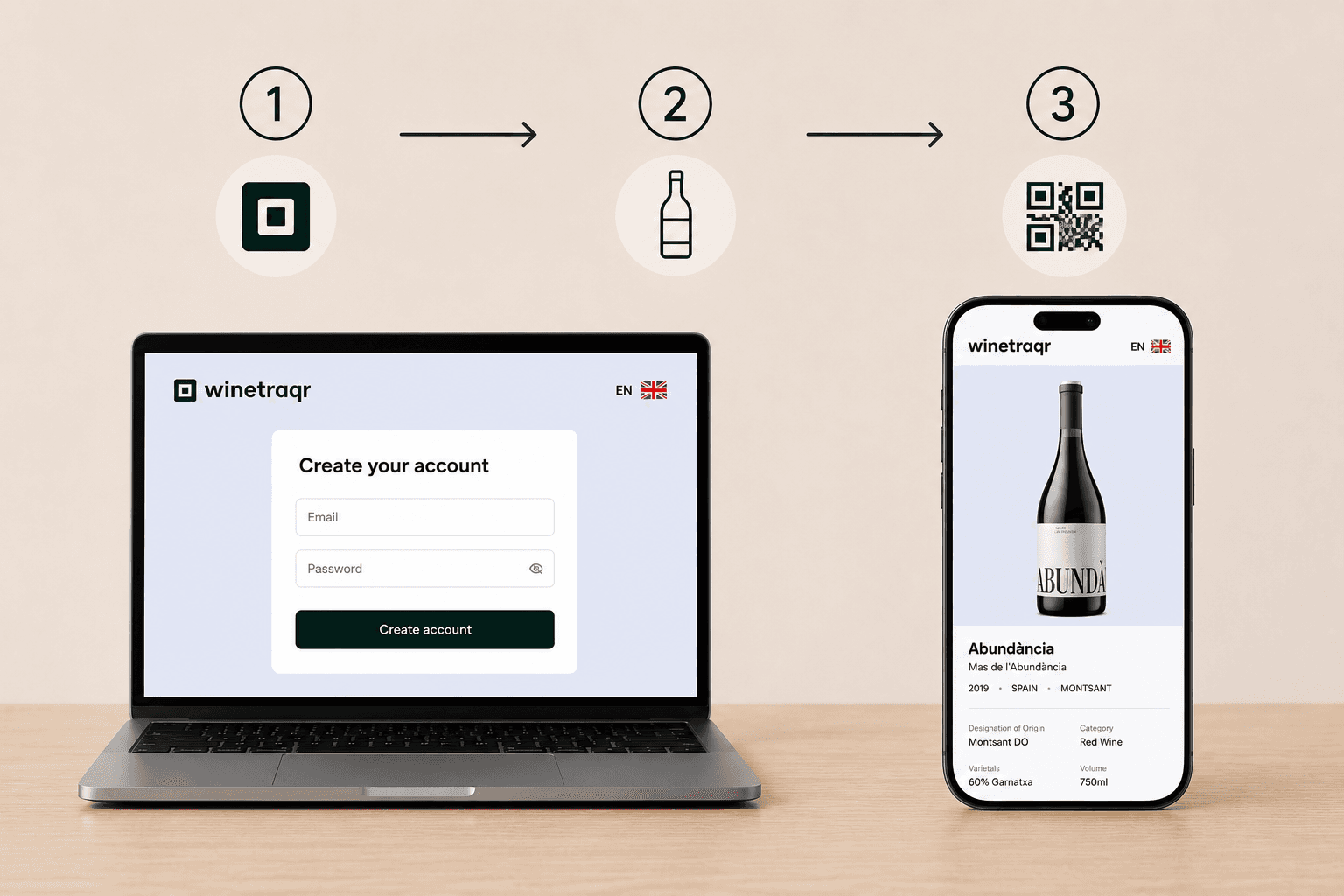
Introduction to Digital Wine Labels
Technology is transforming the wine industry in significant ways, and digital wine labels are at the forefront of this evolution. Recent EU regulations now require wineries to display nutritional and allergen information on each bottle. This is both a new challenge and a unique opportunity for wineries to engage directly with their customers. Digital wine labels offer an efficient solution for regulatory compliance, while also providing consumers with essential product information instantly. A simple smartphone scan of a QR code reveals everything a customer might want to know.
What is Winetraqr?
Imagine an easy-to-use, web-based platform built specifically for wineries; that's Winetraqr. As more producers seek straightforward ways to meet increasing demand for QR code wine labels and newly updated EU compliance, Winetraqr makes the whole process easier.
Here’s what makes Winetraqr stand out:
- QR Code Generation: Generate QR codes quickly, each one linking to a digital label that customers can access with a quick scan from their phones.
- Mobile-Optimized Labels: Product details are shown clearly and attractively on any device, ensuring a consistent and smooth user experience.
- Real-Time Updates: Adjust product information or nutritional details instantly without the need to reprint labels each time.
Looking for additional functionality?
- Analytics (Premium): Learn more about customer interests and behaviors by tracking scan rates and other interactions, giving you information to guide future decisions.
- Branded Marketing Pages (Premium): Connect each bottle to a branded digital experience, where your winery’s unique story, portfolio, and character are highlighted fully.
Note: Analytics and Branded Marketing Pages are available as Premium features. Upgrade your Winetraqr plan to unlock these tools and take your digital wine labels to the next level.
Step-by-Step Guide to Creating a Digital Wine Label with Winetraqr
Making your wine label digital is straightforward with Winetraqr, and you can get started in just a few steps. Here’s the simple process:
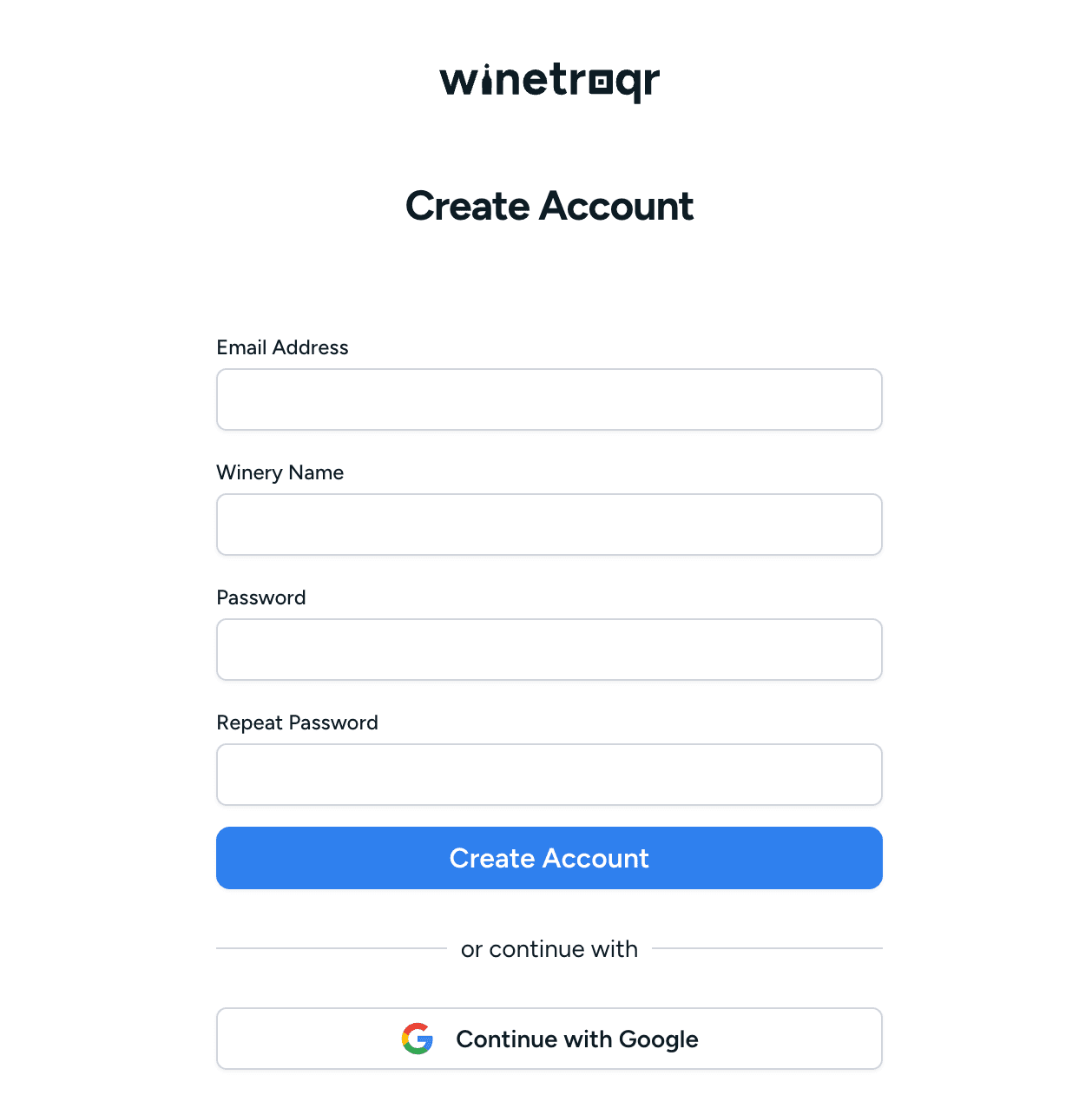
1. Create Your Winetraqr Account
Start by going to the Winetraqr website and signing up for a free account. There are no downloads or installations required, as everything works directly in your browser. Within minutes, you’ll be ready to create your first digital label.
2. Add Your Wine Product Details
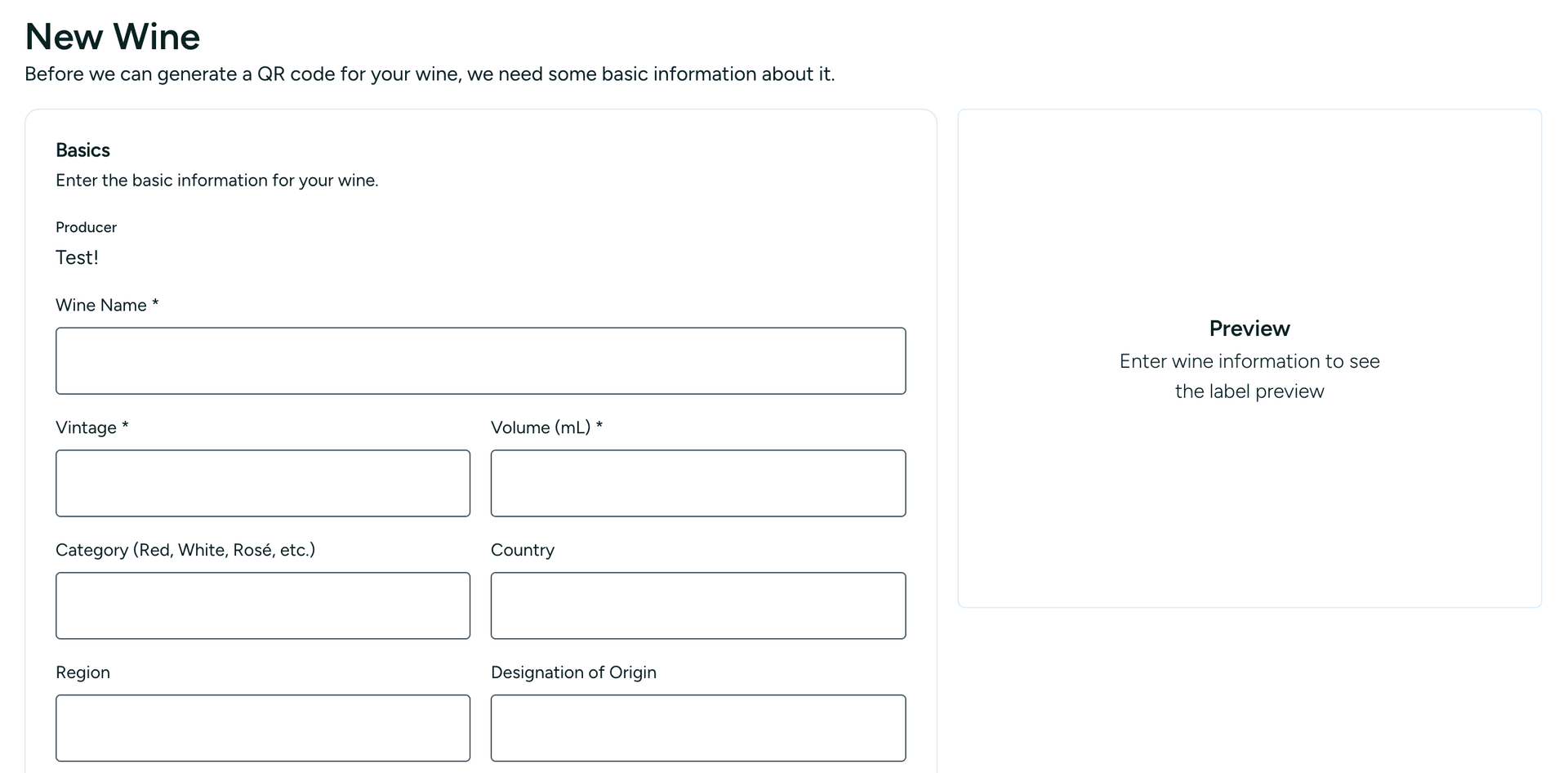
In your dashboard, select ‘Add New Wine.’ Enter essential details, such as product name and vintage. For compliance, accuracy is key: input precise nutritional values (energy, carbohydrates, sugar content) according to EU rules. Make sure to include a complete ingredient list and note any allergens, ensuring your label meets legal requirements.
3. Generate Your QR Code
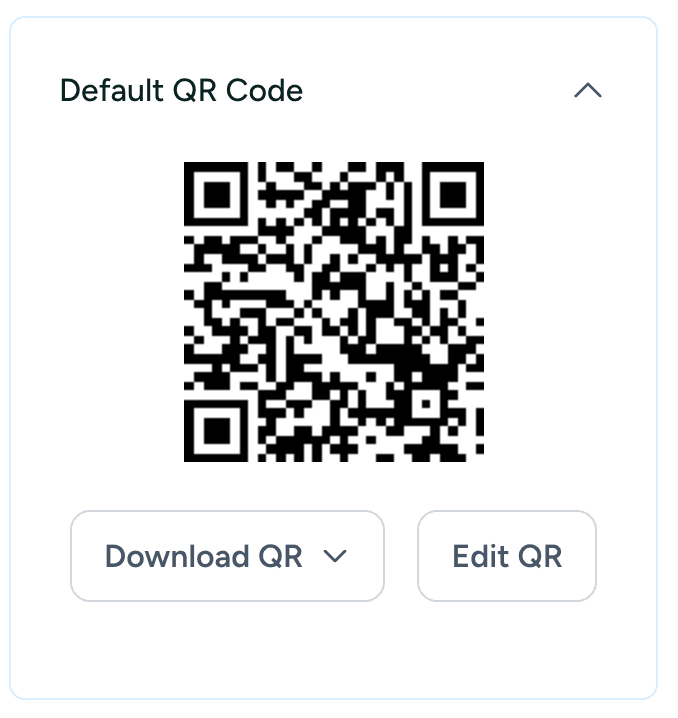
After saving your product information, generating a QR code is only one click away. Use ‘Generate QR Code’ in Winetraqr to create a high-resolution code that links directly to your digital label. Download it in the format best suited for your needs.
4. Print the QR Code on Physical Wine Labels
Integrate your QR code into your current label design using your favorite software or by working with your print shop. Be sure the code is placed clearly and fits well with your brand’s look for a cohesive and professional presentation.
5. Update Digital Labels Instantly
If any nutritional details need updating, you can update your label directly in Winetraqr. Changes become live right away, so there’s no need for costly reprints or compliance delays.
Benefits of Using Winetraqr for Wineries
Choosing Winetraqr brings advantages beyond simplicity. It offers a new level of transparency and interaction for your winery:
- Seamless EU Compliance: Meet regulatory demands securely and reliably, greatly reducing the risk of penalties.
- Actionable Analytics (Premium): Real-time scan data reveals how and when customers interact with your products, helping you refine your marketing.
- Stronger Brand Identity (Premium): With individual branded marketing pages, every bottle shares your unique story, special events, or exclusive deals, building lasting loyalty with customers.
Atklājiet stāstu aiz katras pudeles.
- Neierobežoti vīni un QR kodi
- Automātiska valodas tulkošana
Reģistrācija ir bezmaksas. Kredītkarte nav nepieciešama.